
HoodEngage Updates: Campaign Priority Controls & Studio Editor Improvements
March 15, 2026
This release introduces campaign priority controls for better execution management, along with improvements to the Studio drag-and-drop editor for Push and SMS messaging. Several usability improvements also improve filtering behavior and table consistency across the platform.
Features
Campaign Priority Controls
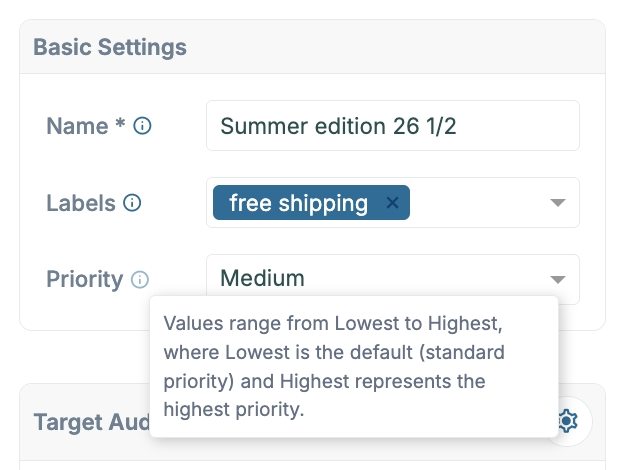
Campaigns can now be assigned a priority level, giving teams greater control over execution order when multiple campaigns are triggered at the same time.
Available priority levels:
- Lowest (default)
- Low
- Medium
- High
- Highest
Campaigns with higher priority are processed first, helping ensure that important campaigns are executed quickly and predictably during periods of high platform activity.
Studio Push Editor Improvements
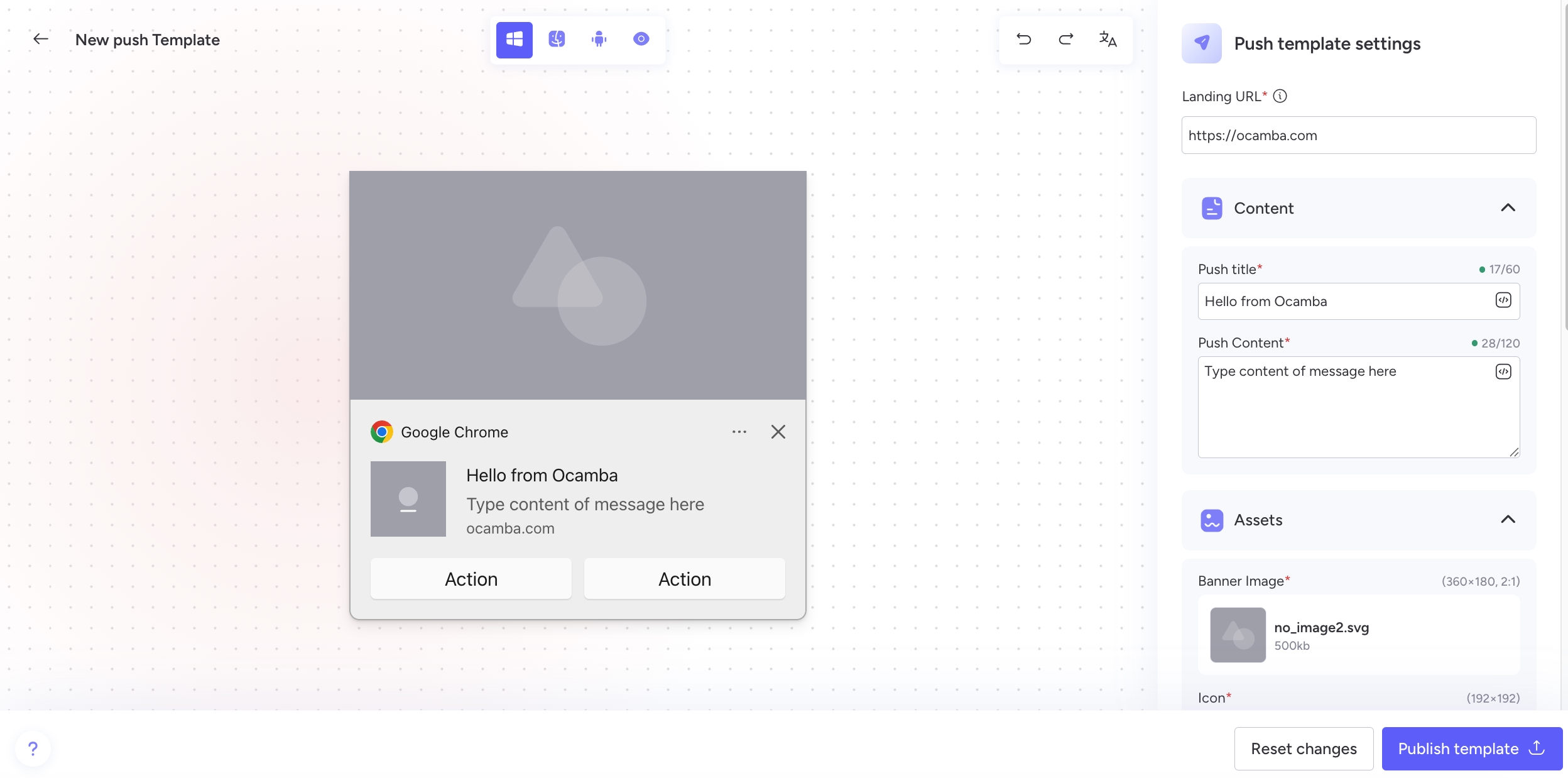
The Studio drag-and-drop editor for Push messaging now provides a more consistent editing experience across operating systems.
Improvements include:
- Clearer settings-driven configuration for push messages
- Dynamic preview behavior depending on the selected platform
- Inline preview editing that automatically updates message settings
- Automatic enforcement of platform-specific layout constraints
These improvements ensure push templates behave consistently across devices while keeping the editing workflow intuitive.
Studio SMS Canvas Redesign
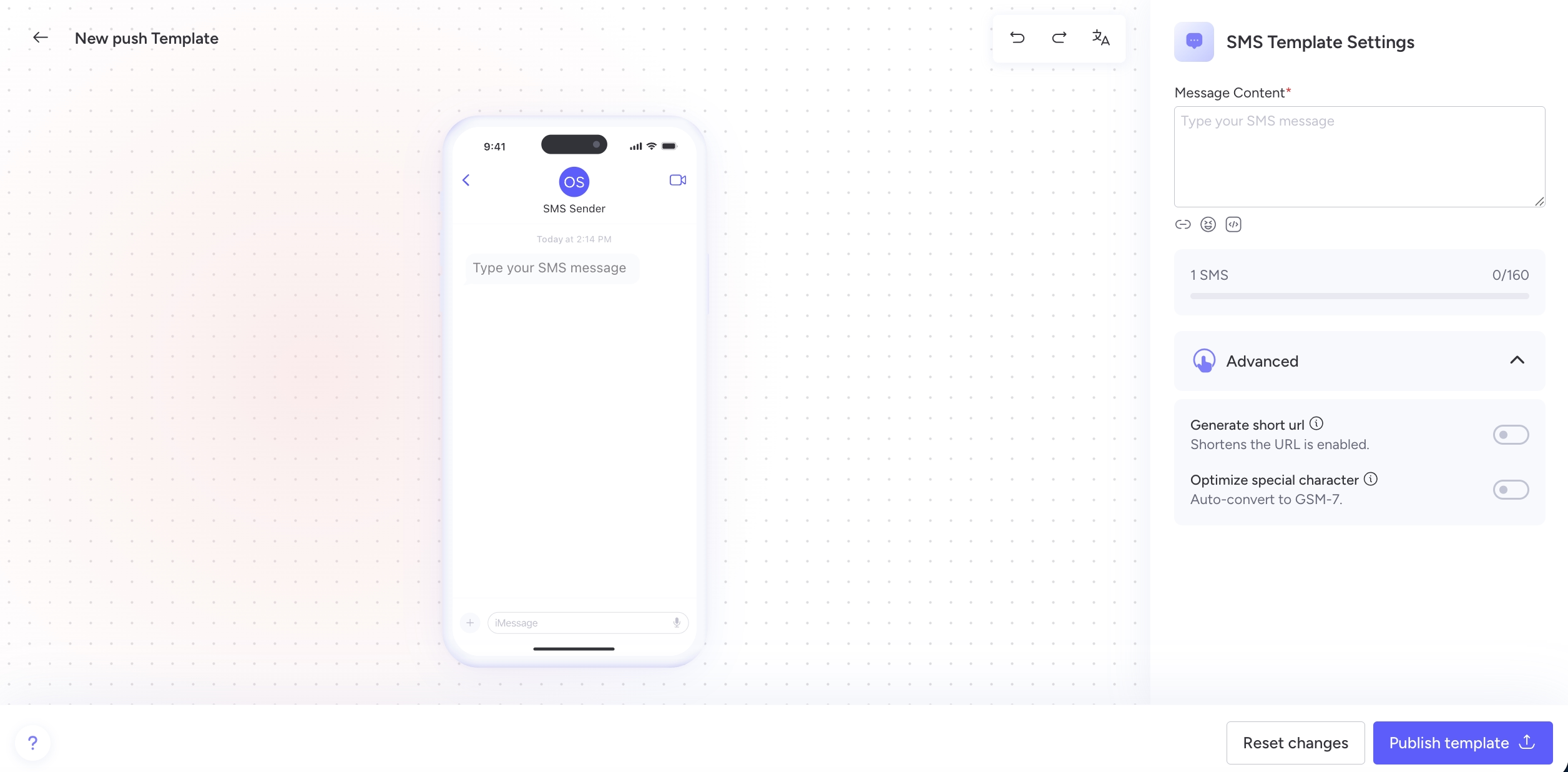
The SMS experience inside the Studio editor has been redesigned to provide a cleaner and more flexible message editing workflow.
Improvements include:
- Message editing moved to the right-side properties panel
- Live preview compilation
- Improved support for macros, emojis, and links
- Built-in character counter
- Optional Generate Short URL switch
- Updated canvas layout for easier message configuration
Reset Filters & Consistent “Create time” Naming Across Tables
Tables across Hood, Core, and AdEx now include a Reset filters control that instantly restores the default dataset view.
Additional improvements include:
- Standardized naming for creation date fields
- Consistent use of Create time across filters and table columns
These changes improve clarity and make table filtering more predictable across the platform.
Bug Fixes
Table filters visibility issue resolved
Fixed an issue where filters rendered inside the table header could be overridden by the first-view layout, preventing users from applying filters properly. Filters are now consistently visible and accessible above the table.
Fixed incorrect macro values in Automation actions
Resolved an issue where macros inserted in Automation actions were using incorrect values (e.g.user_idinstead ofevent.user_id), causing unexpected behavior during execution.Corrected Template Library empty state messaging
Fixed inconsistent empty state behavior in the Templates Library search. The correct system-level empty state and description are now displayed regardless of search input.