
Triggers, Conditions, Frequency & Limits
Triggers, render conditions, and frequency & limits are powerful features that allow you to control when and how your content is displayed to your audience. These settings help you deliver the right message at the right time to the right users.
Activation Triggers
Activation triggers determine when your content will be displayed. You can choose from various trigger types to match your campaign goals:
- Page Load — Show when the page finishes loading
- DOM content ready — Trigger is activated as soon as the main content of the page is ready, before images or videos finish loading.
- Page View — Trigger is activated when the visitor changes pages within your site, commonly used on single-page websites or apps that don’t reload between pages.
- Timer — Triggers after a set number of seconds from page load.
- Vertical Scroll Depths — Tracks the profile’s vertical scroll depth on the page. You can track by percentage of page height or specific pixel values.
- Horizontal Scroll Depths — Tracks the profile’s horizontal scroll depth. Useful for pages with wide layouts or horizontal scrolling features.
- Visibility — Triggers when a selected element becomes visible in the profile’s viewport.
- Exit Intent — Display when user is about to leave
- Click Element — Triggers when a specific element on the page is clicked.
- Form Submit — Triggers when a form is submitted on the page.
- Custom Event — Trigger based on specific user actions
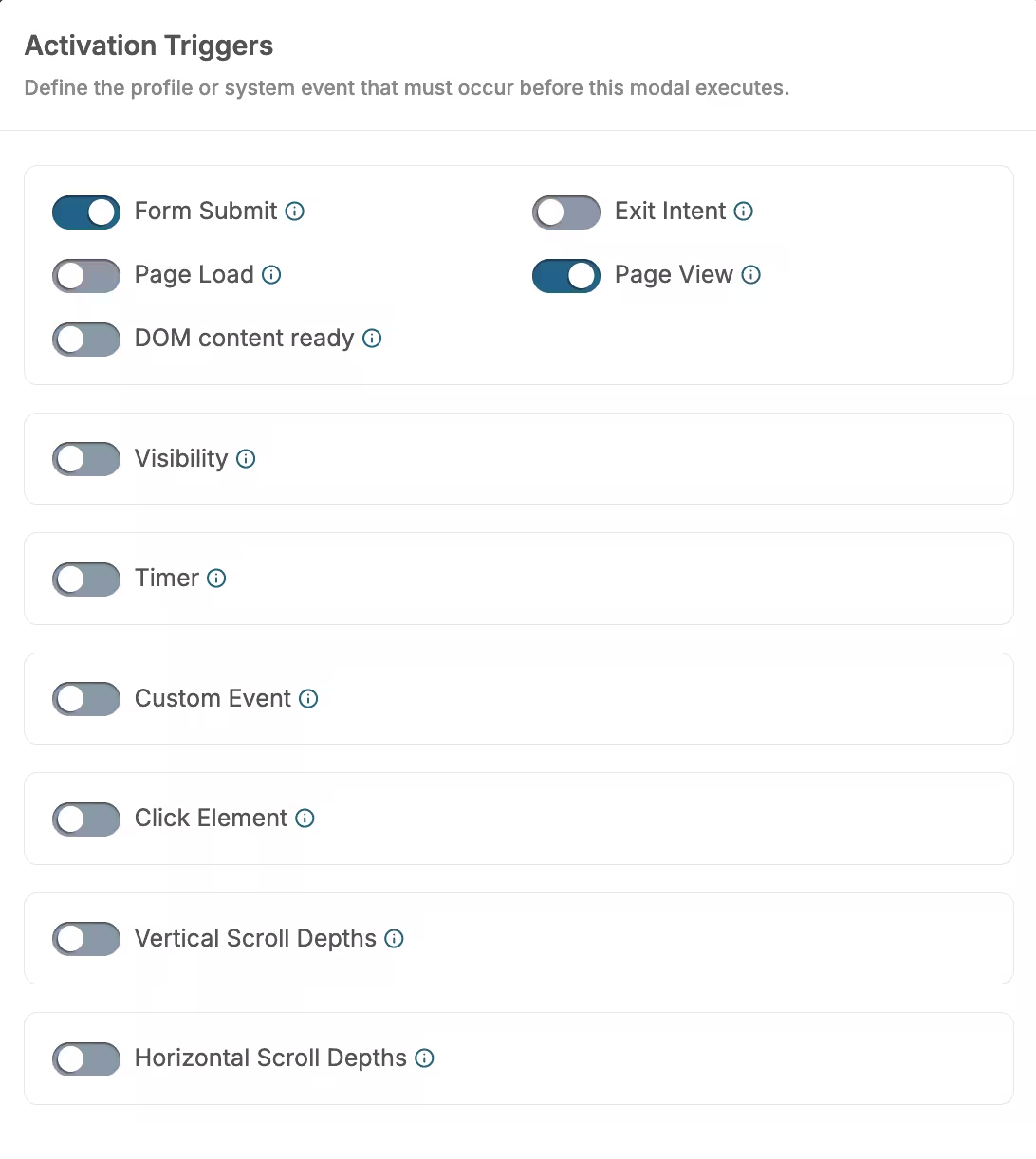
Activation Triggers
Render Conditions
Render conditions allow you to target specific audiences or pages, ensuring your content is shown to the right users at the right time. These conditions are optional but highly recommended for better targeting:
- Target specific pages or URLs — Show content only on specific pages or URL patterns
- Use conditions like “contains”, “equal”, “starts with”, etc. — Create complex targeting rules based on URL patterns, user properties, or behavior
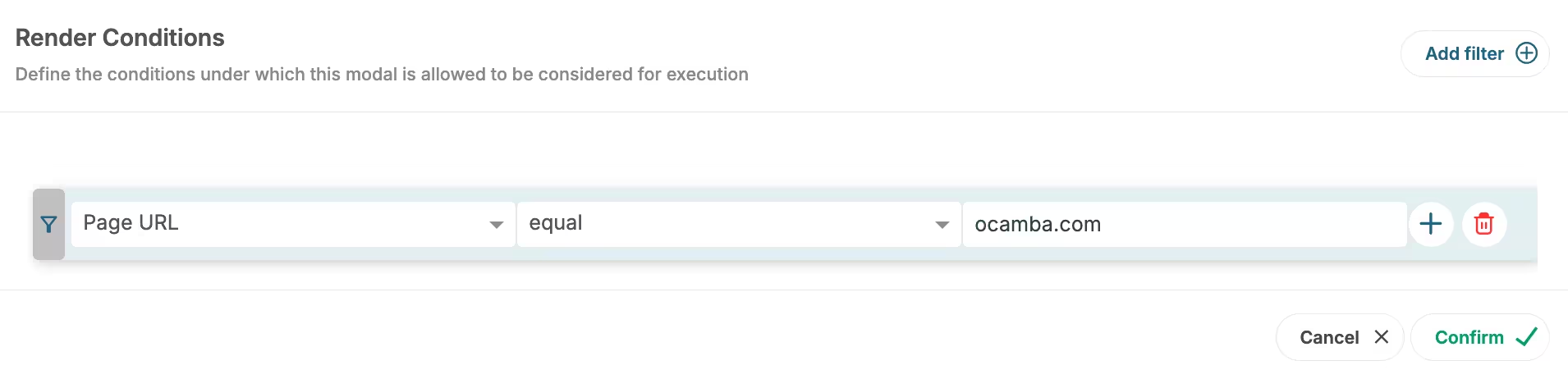
Render Conditions
Frequency & Limits
Frequency and limits help you control how often your content is displayed to users, preventing over-exposure and improving user experience:
Frequency Options
- Choose how often to show — Set frequency to per session, per day, per week, or always
- Stop showing after interaction — Enable this option to avoid showing again after user responds or interacts
- Set delay between displays — Configure delay between content displays (in minutes)
Limits
- Limit total impressions — Set an optional limit on total number of times content can be displayed
- Set an end date — Define when your campaign should stop displaying
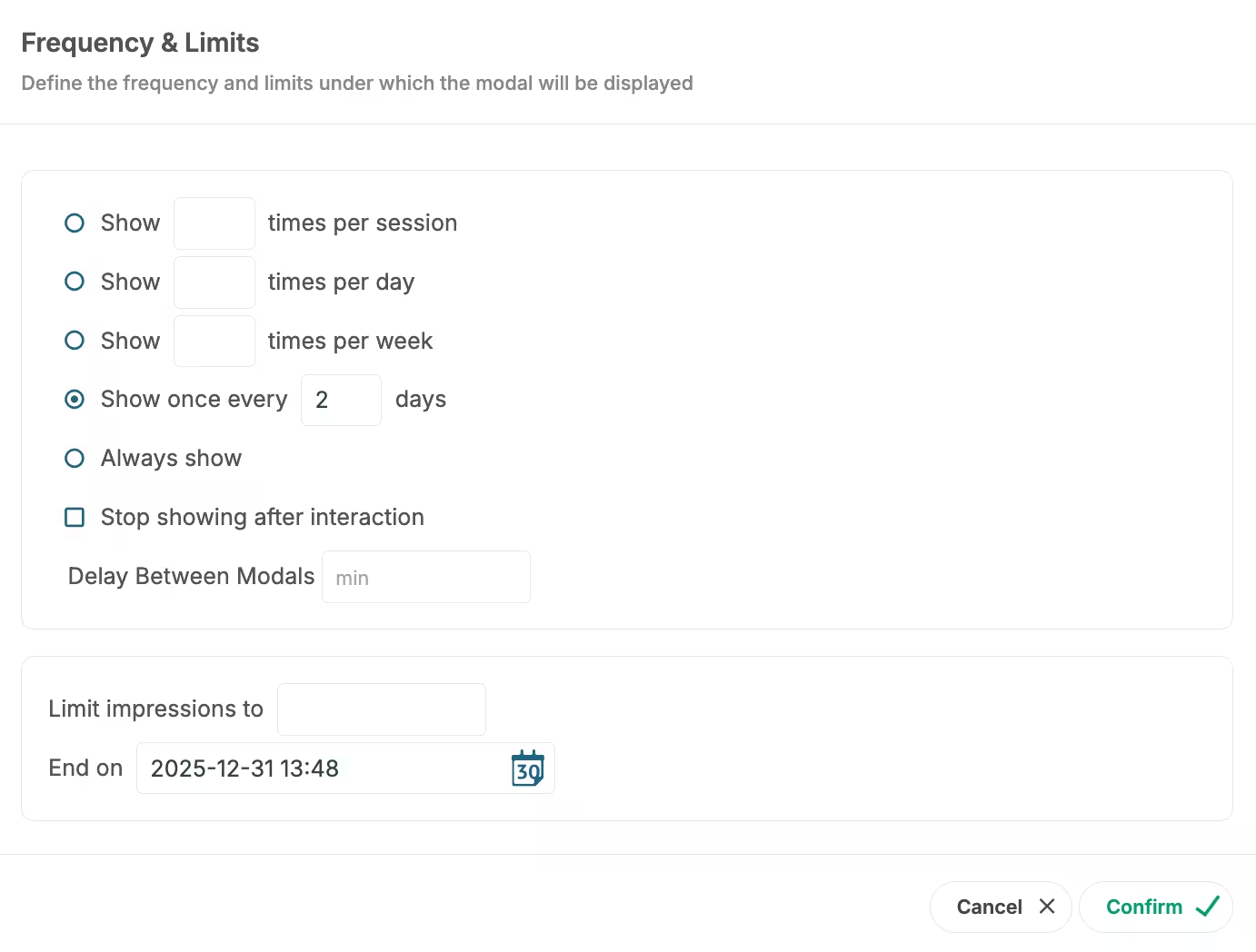
Frequency & Limits
Best Practices
- Use appropriate triggers — Choose triggers that match your content type and user journey stage
- Set reasonable frequency limits — Avoid overwhelming users with too frequent displays
- Target with render conditions — Use conditions to show relevant content to the right audience
- Test different combinations — Experiment with different trigger and condition combinations to find what works best
- Respect user experience — Always consider how your settings affect the overall user experience